22 Jan 2026
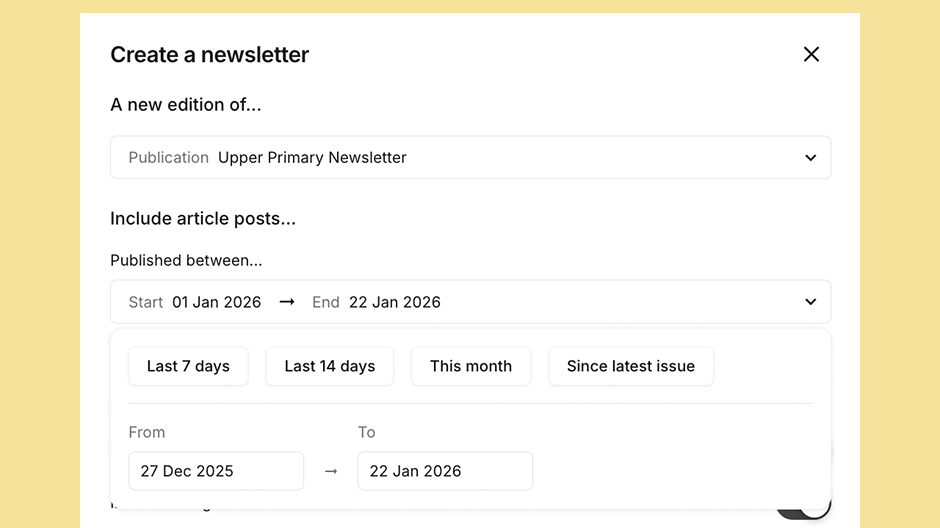
There are now two new filter options when selecting which article posts to include in your newsletter.
In the "Create a newsletter" dialogue box, under "Include article posts...", the "Published between" drop down now includes "This month" and "Since latest issue".
Selecting "This month" will set the start date to the first day of the month, and the end date to the current date in the month.
Selecting "Since latest issue" will set the start date to the date that the previous issue of this newsletter was published and the end date to the current date.
Please note that this option will not be available when:
Today is 22 January 2026 and you want to create a new newsletter issue of Community Newsletter (publication). The previous issue of Community Newsletter was published on 27 December 2025. Selecting "Since latest issue" will tell Bundlebird to include all article posts published from 27 December 2025 in the new newsletter.